
Your phone won't stop buzzing. Every few seconds another verification code lands, from banks you don't use, apps you've never opened, websites you've never heard of. If you are getting hundreds of OTP messages out of nowhere, the first thing to know is that this rarely means someone has already broken into your accounts. The second thing to know is that you still shouldn't ignore it.
This guide walks through what is actually happening, how to tell a harmless nuisance apart from a real warning sign, and the exact steps to shut the flood down. It works whether you are in Mumbai, Manila, London, or anywhere else, with a few India-specific pointers thrown in where they matter.
What an OTP Is and Why It Matters
An OTP, or one-time password, is a short code a website or app texts you to check that you are really you. You get one when you log in, sign up, reset a password, or approve a payment. The code is single use and usually dies within a few minutes.
Here is the part that explains almost everything: you are only supposed to get an OTP when you do something that asks for one. So if codes are pouring in and you haven't touched your phone, somebody or something else is requesting them using your number. That one fact sits behind nearly every case of OTP spam.
Why Are Hundreds of OTP Messages Arriving at Once?
When dozens or hundreds of codes hit your inbox in a short burst, it almost always means your number has been typed into the login or signup forms of many different sites, over and over, usually by a script. Every site does its normal job and fires off a code. Because it is happening across so many services at the same moment, they all crash into your inbox together.
It feels alarming. But it helps to separate how annoying the flood is from how much real danger it puts your accounts in. In most cases the person doing this never sees a single code, because the codes come to your phone, not theirs.
The Main Causes of OTP Spam
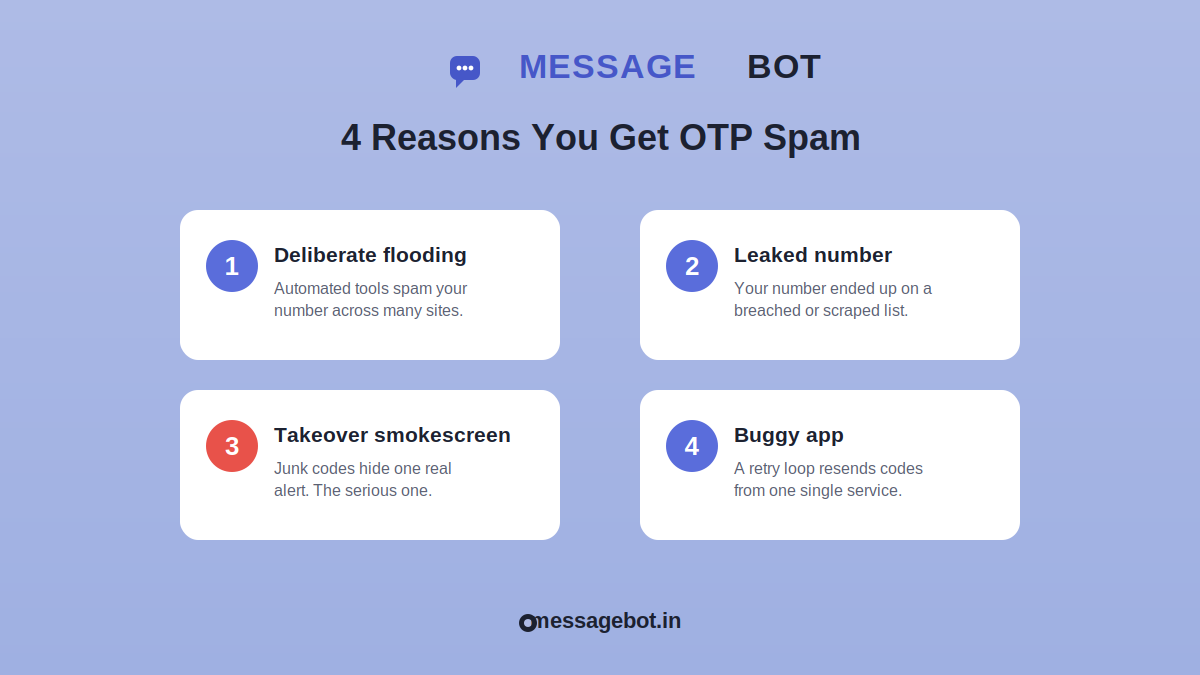
1. Someone Is Flooding Your Number on Purpose
This is the most common reason for a sudden, huge spike. Automated abuse tools exist for exactly this, and one crude example is an SMS bomber, which shoves your number into the OTP forms of dozens of sites in seconds and sets off hundreds of texts. Usually the point is harassment, a prank by someone who has your number, or an attempt to hide a real security alert under all the noise.
The giveaway is variety. The messages come from all sorts of services you have never used, and they stop as abruptly as they began the moment the tool is turned off. In India this often follows a leaked number circulating on WhatsApp groups or a fallout after a personal dispute, and it can bury a genuine bank alert in the middle of the pile.
2. Your Number Leaked in a Data Breach
Phone numbers leak all the time, through company breaches or by being scraped off public profiles. Once your number lands on a list that gets traded around, bots cycle through it again and again. If your spam feels more like a steady drip than one giant wave, a leaked number is the likely reason. You can check whether your details have shown up in known breaches at a free site like Have I Been Pwned.
India has its own version of this problem. Numbers pulled from loan apps, e-commerce accounts, and random "get a free coupon" forms end up on marketing and scam lists, which is a big reason so many Indian users field a steady stream of unwanted OTPs and promotional texts.
3. A Smokescreen for an Account Takeover
This one is rare but the most serious, so pay attention here. Sometimes an attacker floods you with junk codes on purpose, so that one real alert, maybe a password reset or a bank verification they triggered themselves, gets lost in the mess. Miss that single message and they may be walking into one of your accounts.
That is exactly why you should never just wipe the whole flood without looking. One genuine alert hiding among hundreds of fakes can be the line between a bad afternoon and a drained bank account.
4. A Buggy App or Broken Service
The dullest explanation is a technical fault. A broken app, a stuck retry loop, or some service you actually signed up for can keep resending the same code. The tell here is simple: everything comes from one sender, not from a crowd of different ones.
How to Tell If It Is Serious
Before you do anything, spend thirty seconds working out which pattern you are looking at. Your next move depends on it.
Lots of different senders and nothing you did to trigger them. This is most likely harassment or a leaked number. Irritating, but your accounts are not automatically in danger.
A real reset or login alert mixed in that you never asked for. Treat this as a possible takeover attempt and lock down that account right away.
The same code over and over from one service. Usually a bug, not an attacker.
That quick check tells you whether you are dealing with noise to filter out or a threat to shut down.
How to Stop OTP Messages: Step by Step
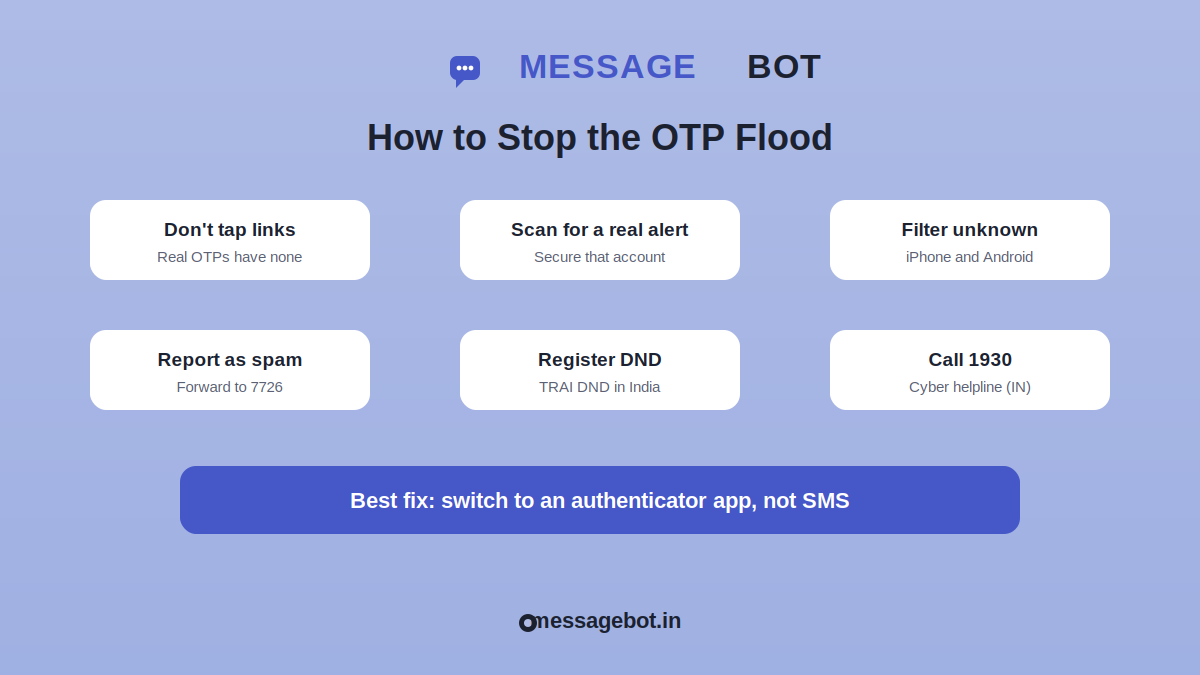
Here is the full playbook, ordered so the urgent protective steps come first.
Do This First
Don't tap any link inside the messages. A real OTP text never needs you to click anything. Any link is a phishing hook.
Scan the flood for a genuine alert, especially from your bank, main email, or other important accounts. If you spot one you didn't trigger, treat it like cause 3 above: change that password and sign out of every active session.
Quiet things down so you can think. On iPhone, switch on Filter Unknown Senders. On Android, turn on spam protection in the Messages app. Do Not Disturb helps for a few minutes too.
Block and Filter
On iPhone, go to Settings, then Messages, and turn on Filter Unknown Senders. Texts from numbers not in your contacts move to a separate tab and stop cluttering your main inbox.
On Android using Messages by Google, open Settings, then Spam protection, and switch it on. Report each bad thread as spam so the system learns to catch similar ones.
If the volume is brutal and the built-in filters aren't enough, add a dedicated spam-blocking app. In India, apps like Truecaller are widely used for exactly this, though be mindful of the contact permissions you hand over.
Report It
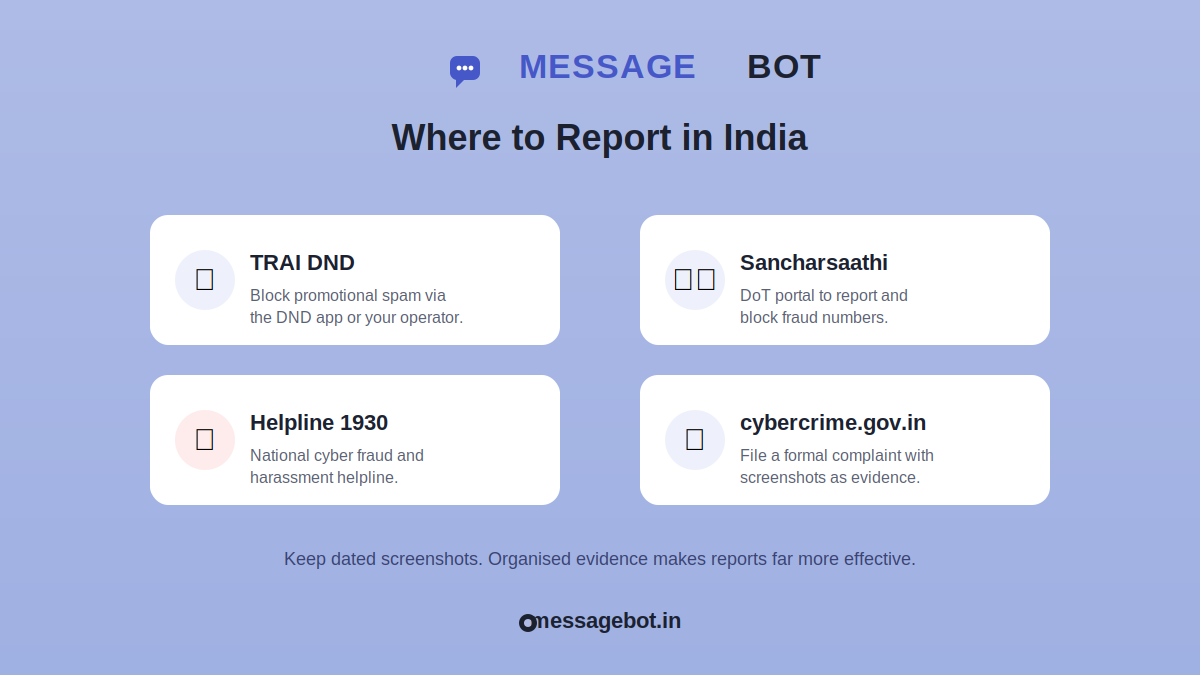
Forward spam texts to your carrier. In much of the world you can forward them to 7726, which spells SPAM, so your provider can investigate.
If you are in India, register your number with the DND (Do Not Disturb) service through your telecom operator or the TRAI DND app to cut down unsolicited commercial messages. Report cyber harassment and fraud on the national portal at cybercrime.gov.in or by calling the 1930 helpline. You can also report and block spam and fraud numbers through the DoT's Sancharsaathi portal.
Outside India, file a complaint with your national telecom regulator. In Pakistan that means the PTA, and for harassment the FIA Cybercrime Wing under PECA 2016. In the UK it is Ofcom and Action Fraud; in the US, the FTC and FCC. Keep dated screenshots as evidence wherever you report.
Protect Your Accounts for the Long Run
Move your important accounts off SMS codes and onto an authenticator app like Google Authenticator or Authy, or a hardware security key. App codes can't be flooded and don't fall to SIM-swap attacks.
Change passwords on any account tied to your number and turn on login alerts wherever you can.
Shrink your number's footprint. Take it off public social profiles, pull it out of directories that don't need it, and think twice before handing it to yet another app for a discount.
How to Avoid This Happening Again
Stopping today's wave is only half the battle. A few habits make you a much smaller target next time.
Treat your phone number like a password, not a business card. Keep a second number or an email alias for low-trust signups, contests, and one-off services, so your main number stays out of the databases spammers pass around. In India this is worth real effort, given how many apps demand a mobile number before they let you do anything at all.
Wherever a service offers it, pick an authenticator app or a hardware key over SMS for two-step verification. This one change kills most OTP-based attacks, because there is no text to flood in the first place. And every few months, look at which apps and sites still have your number and cut loose the ones you have stopped using.
When to Escalate
Most OTP spam is handled with filtering and a report or two. Step it up if the flood runs for days, is clearly aimed at you as harassment, or shows up alongside signs of an attempted account takeover. Then call your carrier about temporary number protection and file a formal complaint, through cybercrime.gov.in and the 1930 helpline in India, or your local equivalent elsewhere. Write down dates, times, sender details, and screenshots, because organised evidence makes any investigation far more useful.
Frequently Asked Questions
Do hundreds of OTP messages mean I've been hacked? Not by themselves. Getting codes only means someone entered your number somewhere. You are at real risk only if a code actually gets used, and that needs access to your phone or your messages.
Should I reply STOP to make them end? No. Replying tells spammers your number is live and watched, which usually brings more, not less. Block and filter instead of answering.
Will changing my number fix it? It can, as a last resort, but it is a hassle since you have to update every account and contact. Try filtering, reporting, and switching to app-based verification first.
Is SMS really the safest way to get codes? No. SMS is the weakest of the common two-step methods. Authenticator apps and hardware keys are safer because they can't be flooded, SIM-swapped, or spoofed.
Does DND stop OTP spam in India? DND cuts unsolicited promotional sms and marketing messages, so it thins out the general spam. It won't block a deliberate OTP flood on its own, but combined with reporting and app-based verification it makes a real dent.
The Bottom Line
Getting hundreds of OTP messages is usually a nuisance rather than proof of a break-in, but now and then it hides a genuine takeover attempt, which is why it deserves a calm response and not panic. Filter and block the noise, comb the flood for any real alert buried inside it, report the abuse to your carrier and your national authority, and move your important accounts onto an authenticator app. Do those four things and the flood stops being anything more than an annoyance.